You can use the Settings in the phone interface to adjust the time as required.
Please refer to your user manual for more specific instructions to adjust date & time.
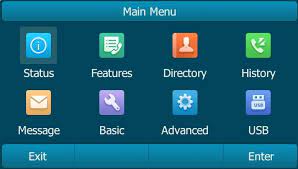
Note, the images below are from a T4 series phone. If you are using a different model your screen may look different but the process remains the same.
Follow the steps below to change the settings:
Navigate to Menu and select Basic.
Select Time & Date, and General.

Edit the date and time required.
Select Save.