Local numbers have two categories in Australia - Cat A (simple) or Cat C (complex).
Cat A ports will typically be resolved in 5-10 business days, however Cat C will take a minimum of 30 business days.
If the customer is not aware of what type of service they have (they usually aren't), it is quicker to submit any local number port as a Cat A. If it is a Cat A, then it will approve faster. If it is not a Cat A, it will be rejected with the reason "Complex Service" and you can resubmit as a Cat C.
Note - To submit any Cat C port, the client must have completed the Port Authority Form (PAF) from our DocuSign and have provided an invoice containing this number.
For mobile ports, there is a different form and process. Please see -
How to Port a mobile number into Jet
How to Port a local number to Jet (Cat C)
Submit a Cat A port
Step 1: Validate number
Understanding if this number is enabled for porting or if it is a 3rd party port, can help us to understand if we are expecting any delays.
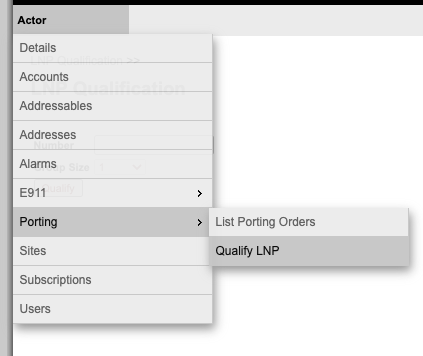
Log into Sonar, select Porting and Qualify LNP.
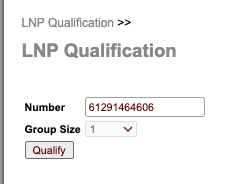
Enter the number (always in international format) and select qualify.
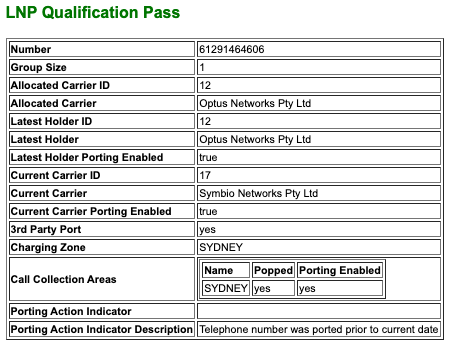
This will then display the information for this number and let you know if the qualification has Passed.
As you can see below, this Sydney number was originally with Optus, but the current carrier is Symbio. This is a 3rd party port so may take longer during cutover but porting is enabled.
Step 2: Submit your port
From the Sonar menu, select List Porting Orders. 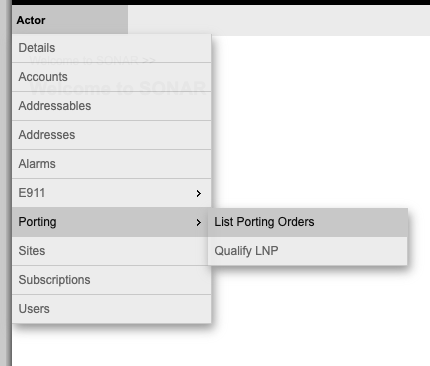
Then select Create Cat A Porting Order at the bottom of your screen.
The form below will appear:
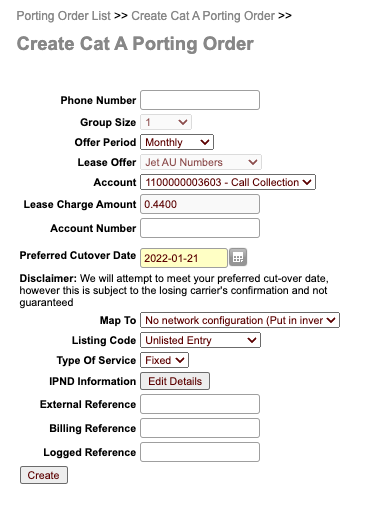
Fill out the following information:
| Phone Number | Enter the number you are porting in international format |
| Account Number | Enter the account number of the current carrier that was provided on the client's Port form |
| Preferred Cutover Date | This is the date the number expects to port. You can move this beyond the default date, but do not move it back before the date they have pre-filled. |
| Map To | Remote Route |
| Remote Route | routeId:51643 |
| Subscription | 7781 - Symbio Call Collection |
| External Reference | Enter the Zendesk ticket number for this Port. |
Click Create.
You will now see this new request in the Porting Order List view. Select Edit.
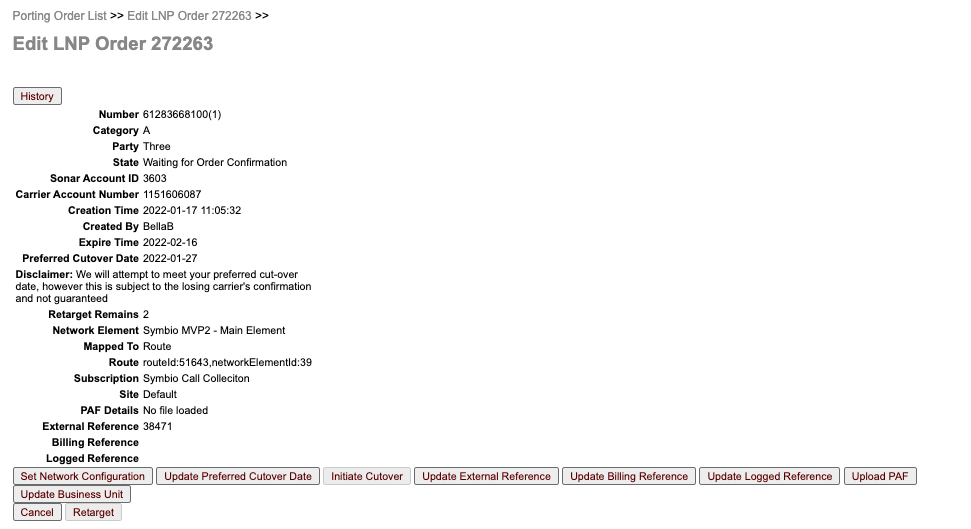
You will see an overview of the Port request and can update certain fields if required, like preferred cutover date or external reference.
Click Upload PAF and upload the Port Authority Form for this service.