Call Recording is a life-changing feature to help you manage your calls and agent performance. With recording management and storage in the Jet Hub, it's the perfect addition to your system to maximise your agent performance.
Outbound recording is allocated Per Jet Phone User. This means you add this feature to a single phone user at a time, so you can choose to record some phone users but not others.
Once activated, this will record every call as default, you will not need to take any actions to start the recording. To turn this off, you will need to do so manually via the Phone Users page.
In this article we will cover:
You may also like to set up Inbound Call Recording for your inbound numbers. To do this please see this article - How to Set Up Inbound Call Recording
How to Order
To set up outbound call recording, you will need to have this feature available on your account.
View our Pricing Page for more information on the cost of this feature.
To order Outbound Recording on your service, or if you have reached your limit of outbound recording licences, please Submit a Request in the top right of this page, select Order A New Service and Outbound Call Recording.
Please include the number of and which Jet Phone Users you need this activated for in your ticket description.
How to Set Up
Once this feature is available in your account, you can add it to your Phone User(s).
Step 1 - Under the Phone System menu, select Phone Users.
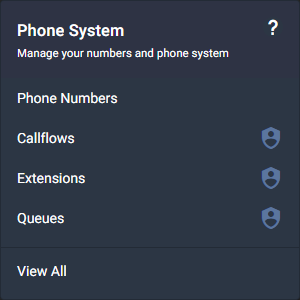
Step 2 - If creating a new Phone User, click Create Phone User. Follow the setup steps here.

Step 3 - If adding to an existing phone user, click Edit.

Step 4 - Toggle the Outbound Call Recording feature to ON.

Step 5 - Press Save.

Step 6 - You will now see the Outbound Call Recording symbol change from greyed out to GREEN.


How to Access Your Call Recordings
Call recording can be viewed and listened to through the Reports menu.
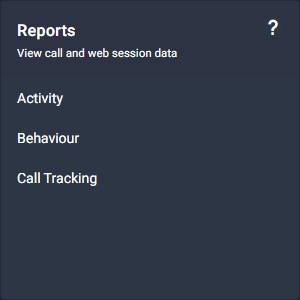
Step 1 - Under the Reports menu, select Activity.
Step 2 -From the Activity menu, Select Outbound Calls.
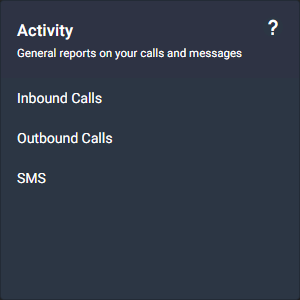
This will take you to the Outbound Calls reporting page. For more information navigating Inbound Calls and Outbound Calls activity reports please see this article: Inbound & Outbound Calls