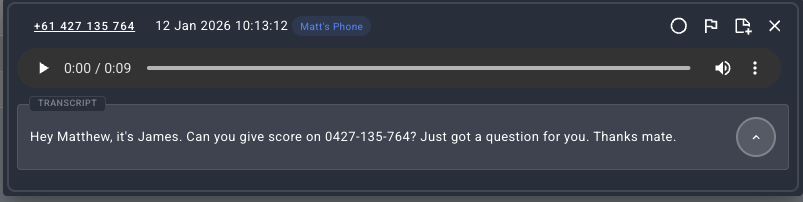
You can access the Voicemail Manager inside the Jet Hub Portal at any time. You can listen to voicemails, take notes or flag them as important. Here are some steps on using it:

2. To access your voicemails within the Jet Hub platform, Click "Voicemails" in the top right to view and manage any voicemail messages you have received.

3. You can see all the voicemails listed with details. Click on one to listen.

4. If you would like to listen, simply click the play button.

7. It is possible to mark a voicemail as "unplayed" or unread if you want to return to it later or indicate that you have not yet listened to it. This feature can be particularly useful when you need to remind yourself to review the voicemail at another time. By marking a voicemail as unread, it will remain highlighted.

8. You can flag important voicemails that need action taken such as a client request or callback needed.

10. You can add notes to each voicemail. Useful for adding context or reminding yourself what the voicemail is about.

11. Voicemails are also transcribed. Useful for skimming for key information from the voicemail such as a phone number